HomeVisualizationKNX ServersTouch PanelsIntegrationsDownloadsSupportWeb Demo

Home / Visualization

Ilevia Visualization

Advanced multi-protocol visualization software engineered for high-end smart building and home automation. Embedded directly within Ilevia hardware.

Control your building from one single platform.

Your home in one app, everywhere

Control your building from one single platform.

Whether you are using a dedicated touch panel in the living room, a desktop in your office, or your smartphone on the go, Ilevia brings the entire building together — through a single, responsive app, always available for free on iOS and Android.

Everywhere

Touch panelDesktopTabletSmartphoneWeb

The interface

Every function, in its own screen.

The same visualization on a touch panel, a desktop, a tablet or a phone — lighting, climate, energy, scenes, logic and access, each with a purpose-built widget.

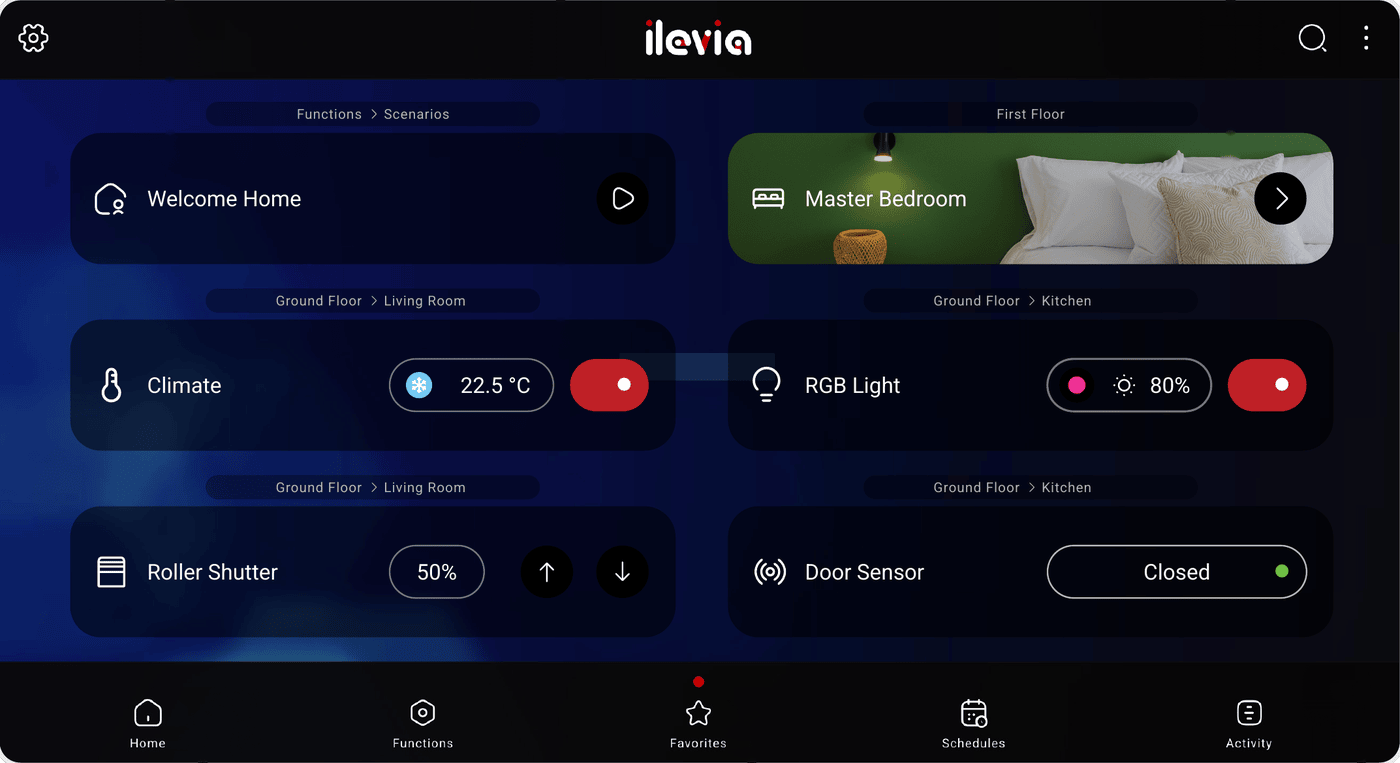
Ilevia Control dashboard with room widgets
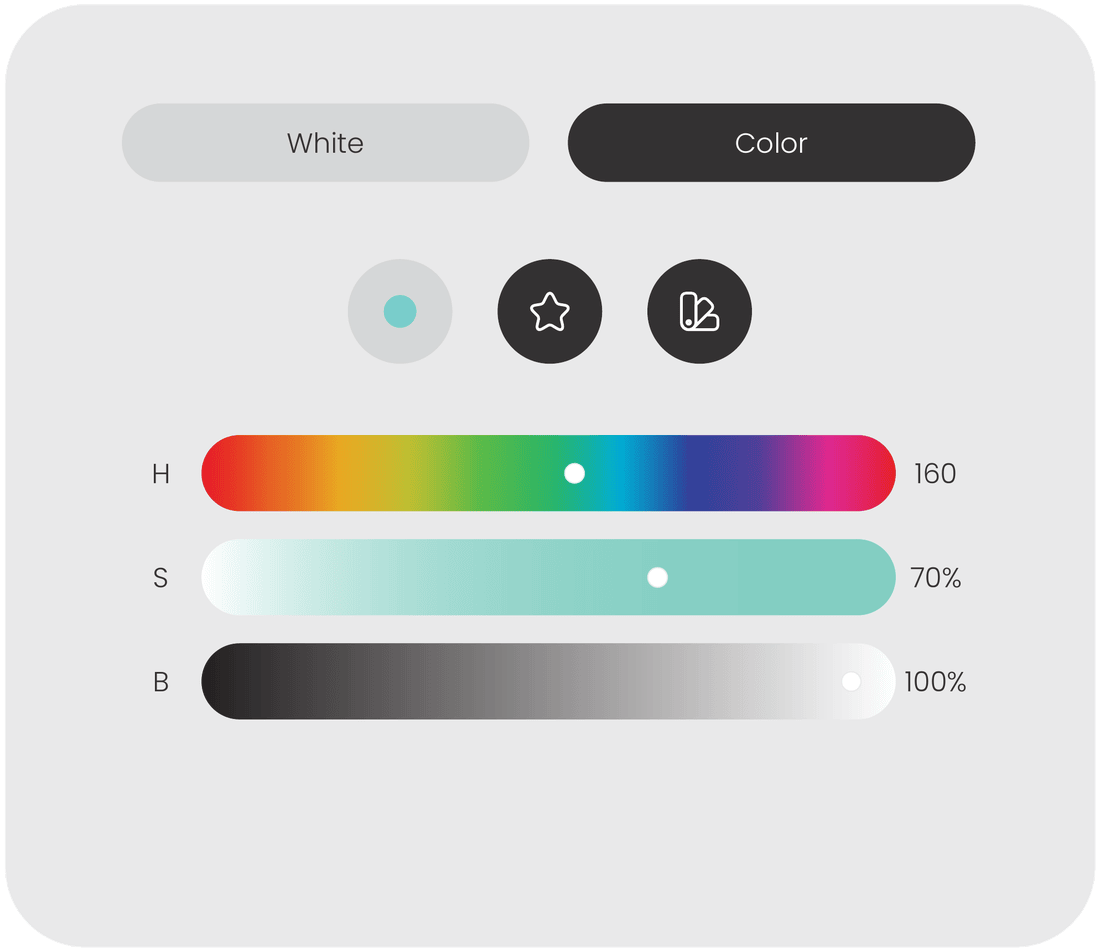
RGBW colour picker with hue, saturation and brightness sliders
Lighting — RGBW & tunable white
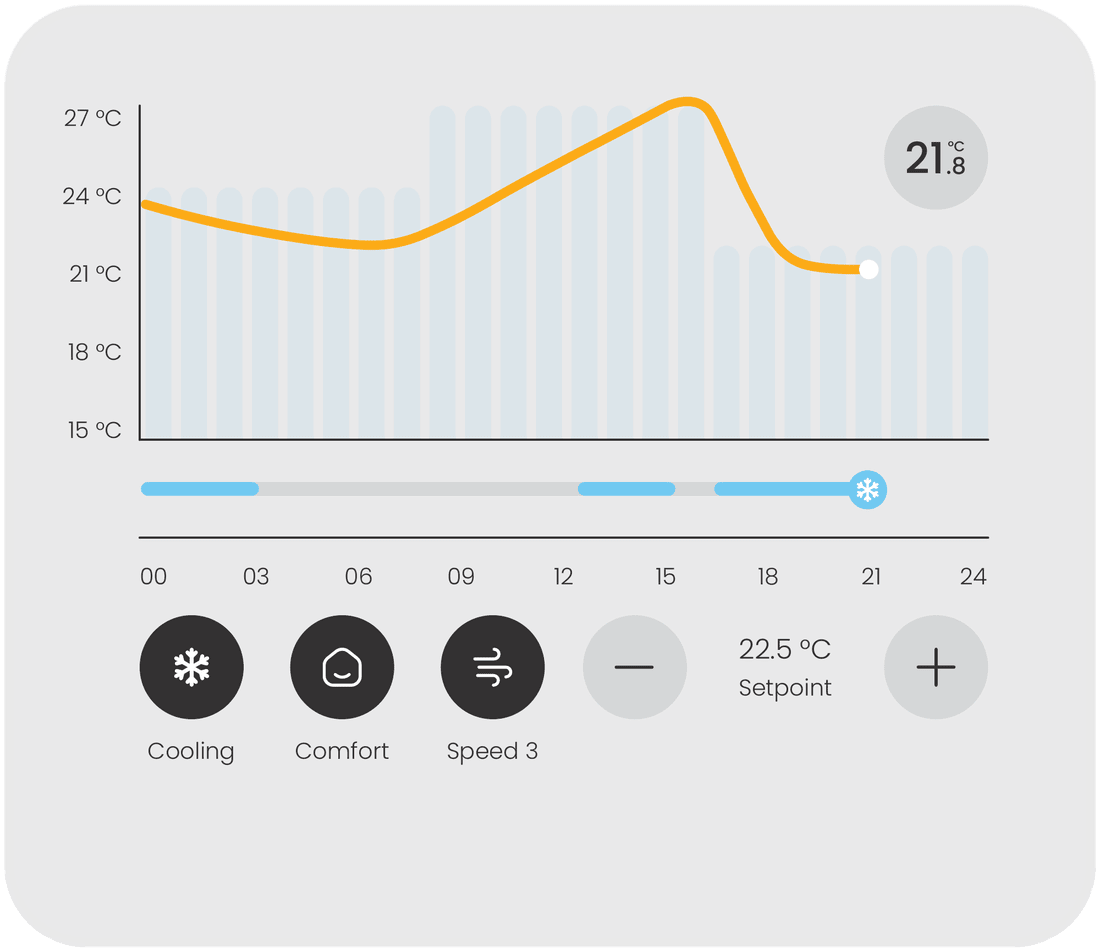
Climate widget with 24-hour temperature chart and setpoint
Climate — schedules & setpoints
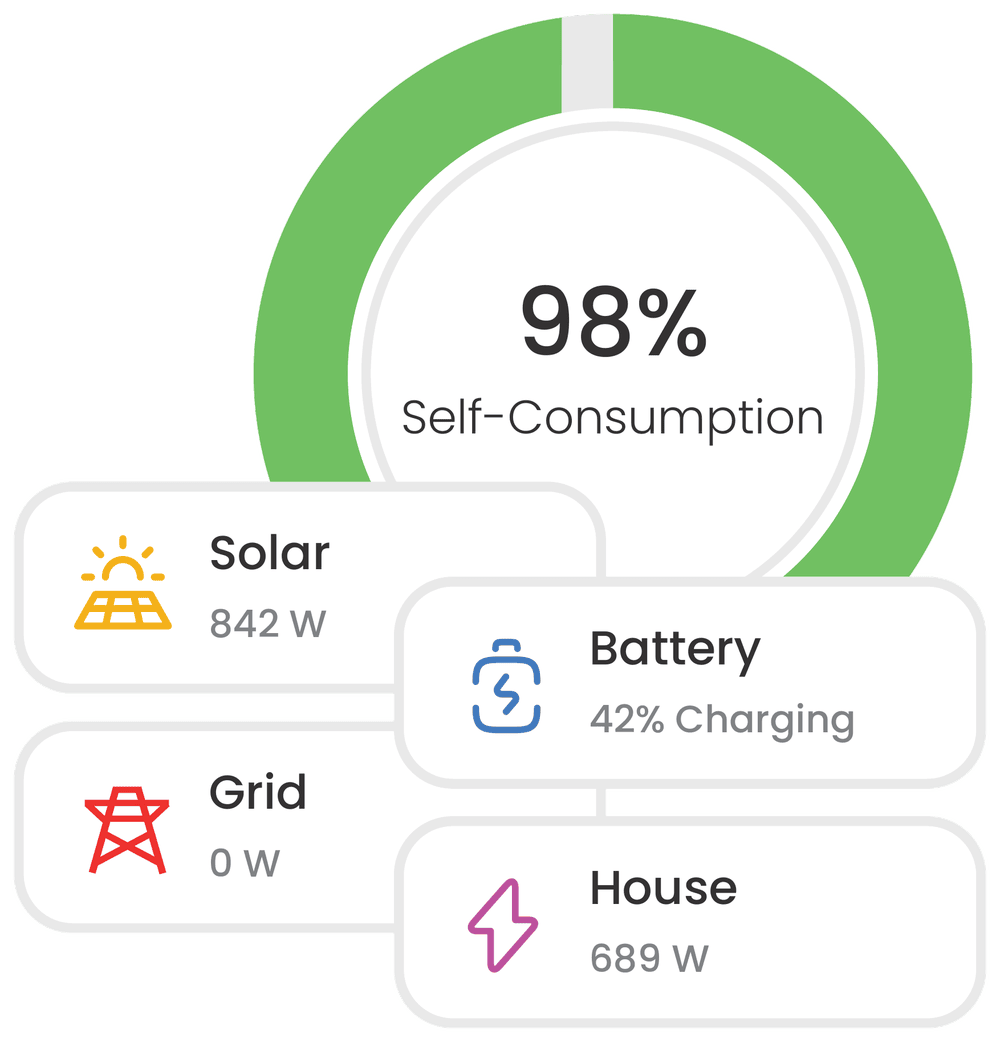
Live energy flow with solar, battery, grid and house
Energy — live flow & self-consumption
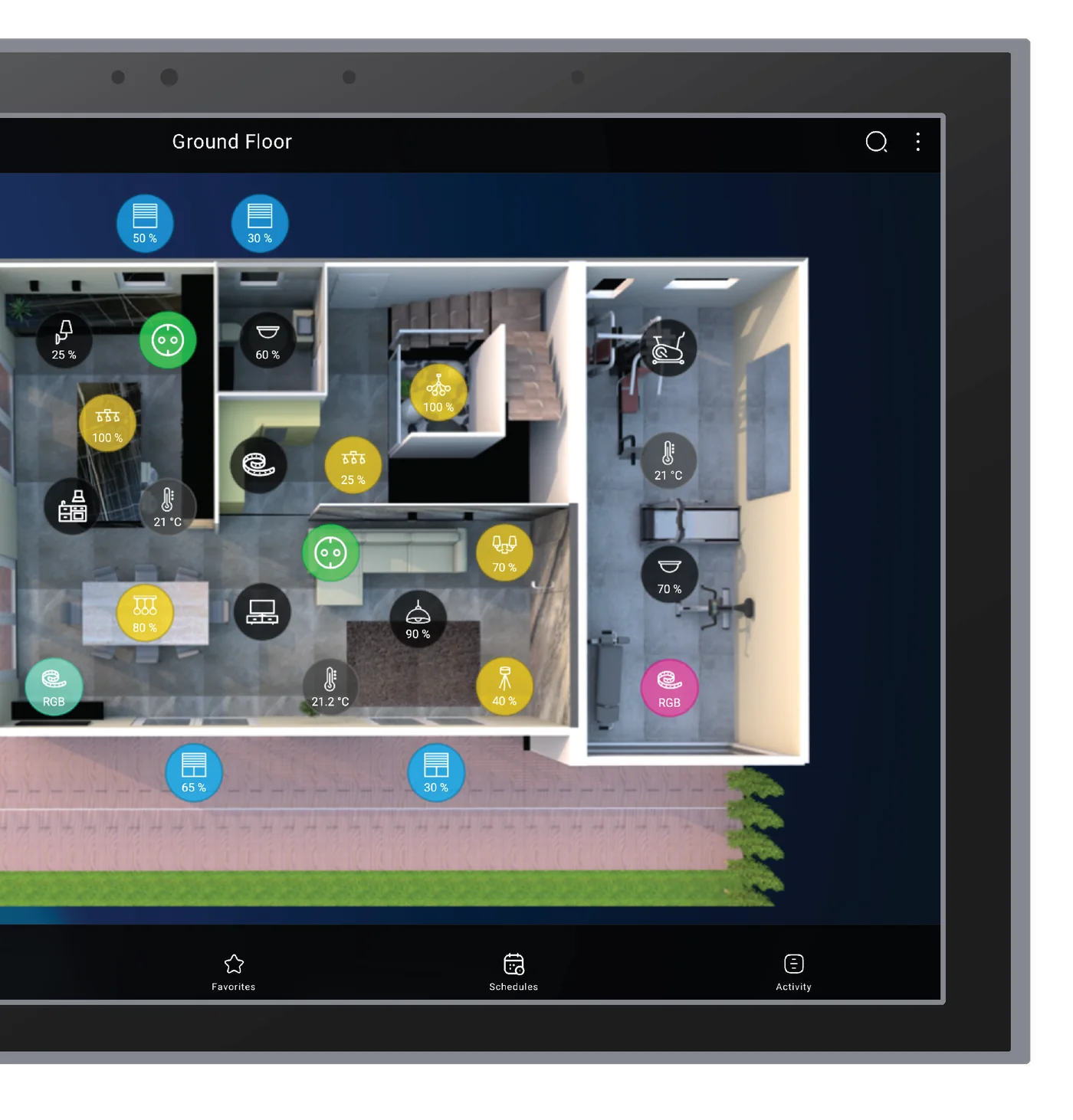
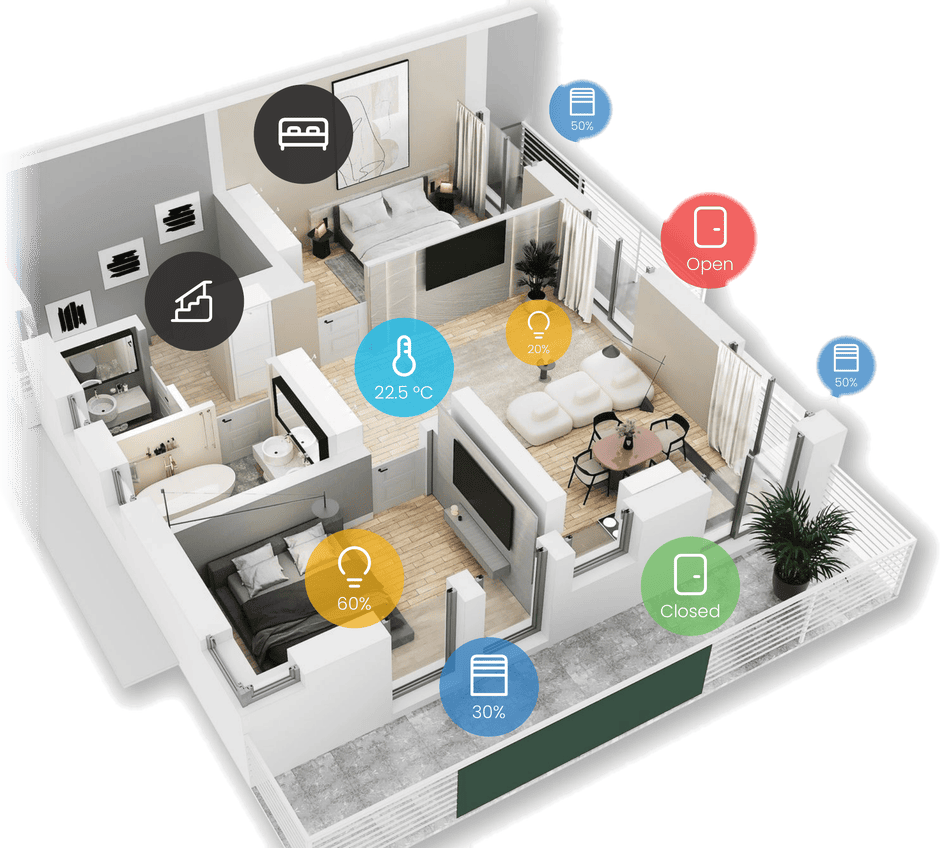
Interactive 3D floor plan with device badges
Map view — interactive floor plans
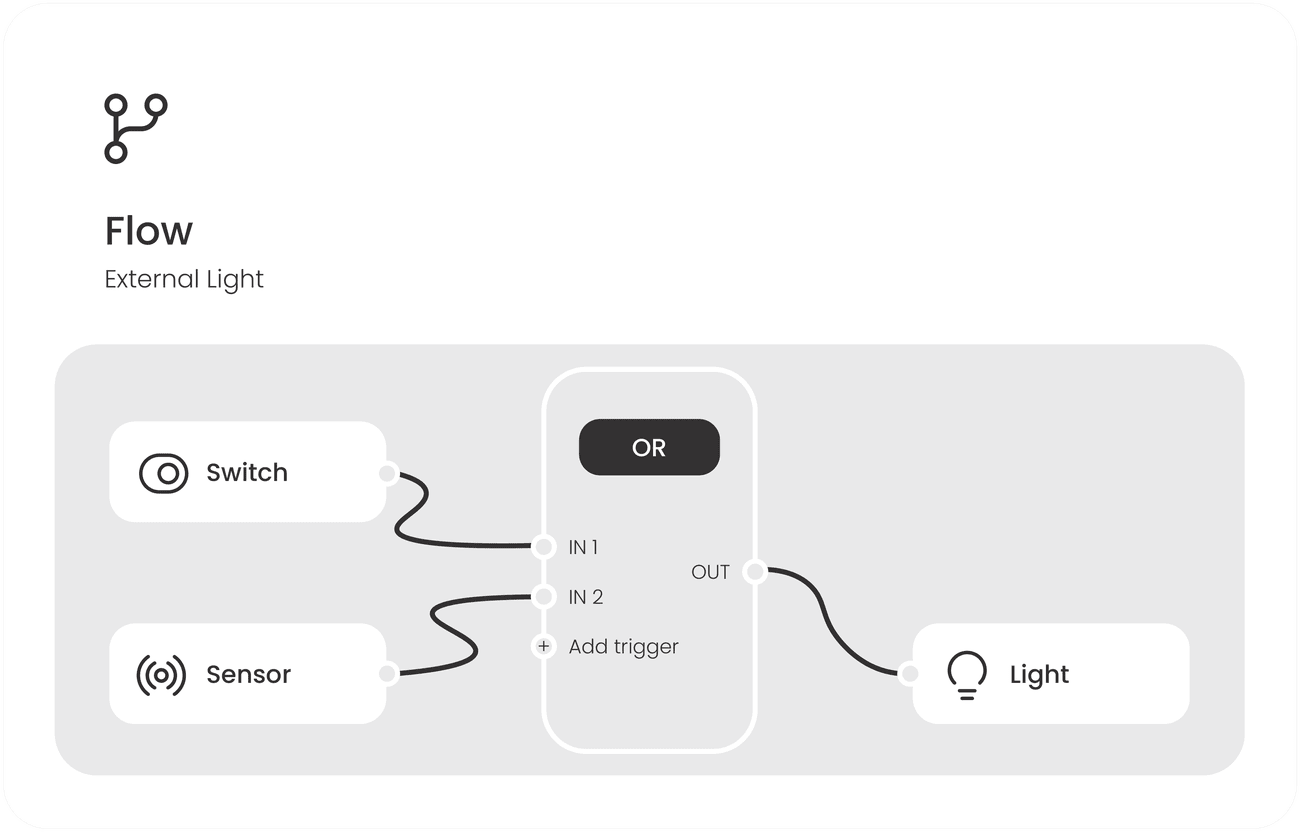
Logic Flow editor with switch, sensor, OR block and light
Logic Flow — visual automations
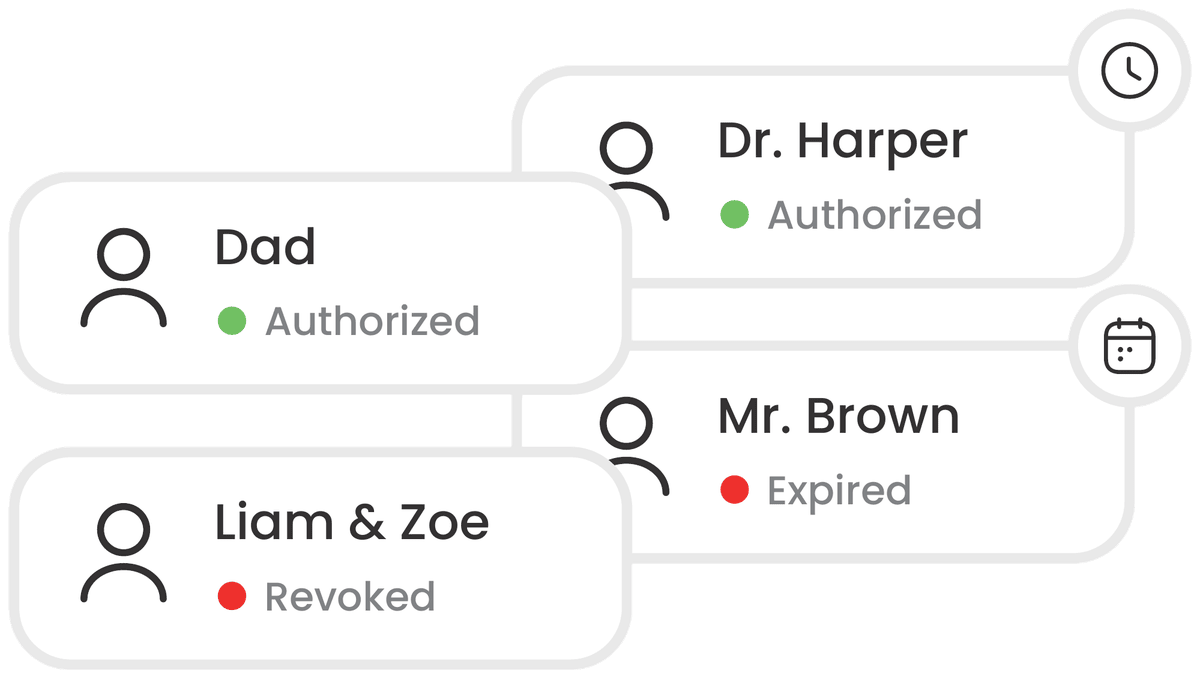
Access control user cards with authorization status
Access — digital keys & history
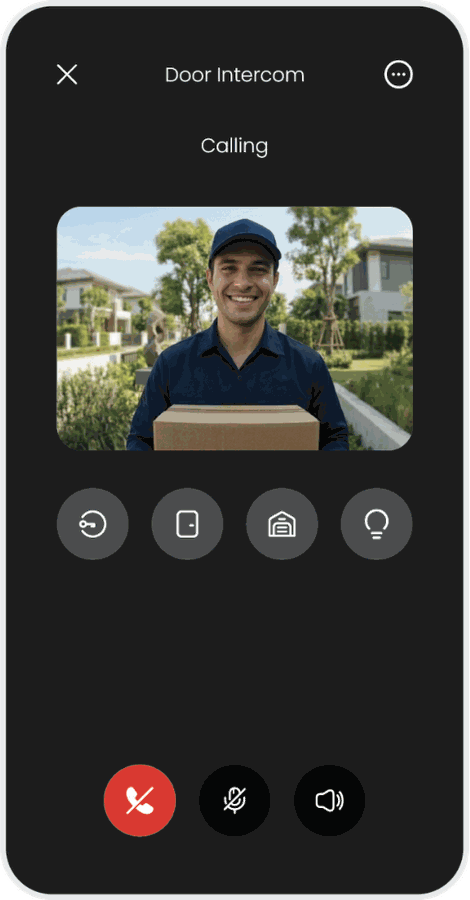
Video door intercom call with door, gate and light shortcuts
Door intercom — answer from anywhere
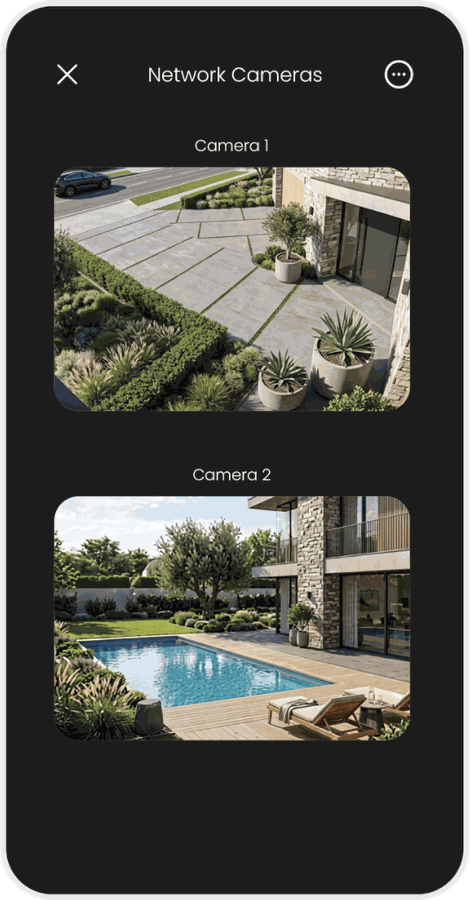
Network cameras with two live streams
CCTV — live network cameras
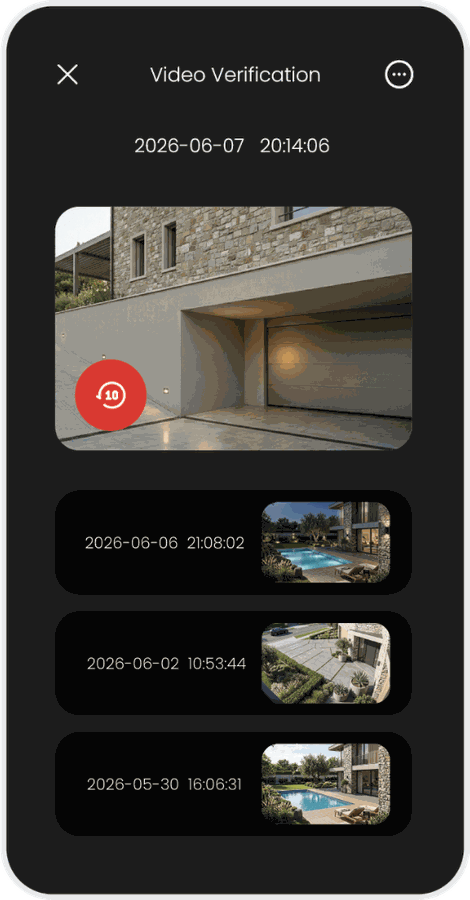
Video verification with event playback and history
Video verification — event playback

Functions

Everything the building does.

Every brand speaks the same visual language, ensuring intuitive control and remarkable simplicity across lighting, climate, motorizations, security, multimedia and energy.

Lighting

RGBW + Tunable White

Smart control of full lighting setups. Adjust brightness, colour temperature and advanced RGBW colours to enhance daily comfort and save energy.

  • On/off control
  • Dimming level (0–100%)
  • RGB / RGBW colour picker
  • Colour temperature control
Climate

Heating, Ventilating & AC

Management of heating, cooling and ventilation systems. Monitor temperatures and set customized schedules to optimize climate efficiency and indoor comfort.

  • Temperature monitoring
  • Set-point adjustment
  • HVAC mode selection
  • Multi-zone scheduling
Motorizations

Shading & Blinds

Management of blinds, shutters and motorized shades. Adjust natural light, privacy and slat orientation to enhance energy efficiency and daily comfort.

  • Precise position control
  • Preset position shortcuts
  • Automated scenarios
  • Slat angle adjustment
Communication

Door Intercom

Answer video intercom calls from your guests, communicate with high clarity and manage door or gate access directly from your interface.

  • Live video streaming
  • Two-way audio
  • Call history
  • Local and remote operation
Security

CCTV & Alarm System

Integrated control of intrusion alarms and video surveillance. Access live camera streams, manage alarm partitions and receive notifications for security events.

  • Live camera streaming
  • Alarm partition control
  • Event push notifications
  • System status overview
Multimedia

Multiroom Audio

Centralized management of professional multi-zone audio systems. Select sources, stream playlists and control volume independently.

  • Multi-zone source selection
  • Independent volume control
  • Audio streaming sync
  • Zone grouping management

Energy management

Monitor your energy
behaviours at a glance.

The platform integrates production, storage and consumption into a single, intuitive dashboard — turning complex data into actionable insights that maximize self-consumption.

Live energy flow

Visualize exactly how energy moves between solar panels, storage batteries, EV chargers, house and main grid.

Costs & efficiency

Convert complex kWh directly into local currency to instantly understand the financial impact of daily habits.

Analytics & history

Dissect data with advanced filters. Detailed charts track consumption and production trends over time.

Load control

Automatically prioritize electrical devices and shed non-critical loads to prevent unexpected blackouts.

Excel reports

Export logged data for reporting, tenant billing or energy audits.

Photovoltaic & storage

Inverters, batteries and wallboxes connected over Modbus and brought into the same interface.

Artificial intelligence

Control, query and analyze with AI.

Artificial intelligence in Ilevia is not an external service to delegate your system to, but a native processing layer that acts on the building's language and data — an interface that requires no syntax to learn.

Natural language

Requests in everyday language are translated into commands for KNX objects and third-party devices.

Not just commands

Status, history and activity logs can be queried by voice — without opening charts or navigating menus.

Anomaly detection

Continuous analysis detects deviations: a load drawing more power than required, or solar production below threshold.

Native multilingual

The model understands and responds in the user's language — a key advantage in hospitality and international properties.

Accessibility

Voice control removes reliance on physical buttons. For users with reduced mobility, full autonomy.

Long-term value

For the installer: query the system and receive diagnostic alerts before the customer calls.

Automations

Logic Flow — a visual engine for advanced automations.

The professional tool designed to manage complex automations, ensuring the building behaves exactly as intended by combining advanced conditions and variables.

Triggers

Define the exact events that launch your flow — device state changes or a sensor.

Conditions

Add restrictions so actions execute only when specific criteria are met.

Calculations

Generate new values automatically from real-time system data.

Routines

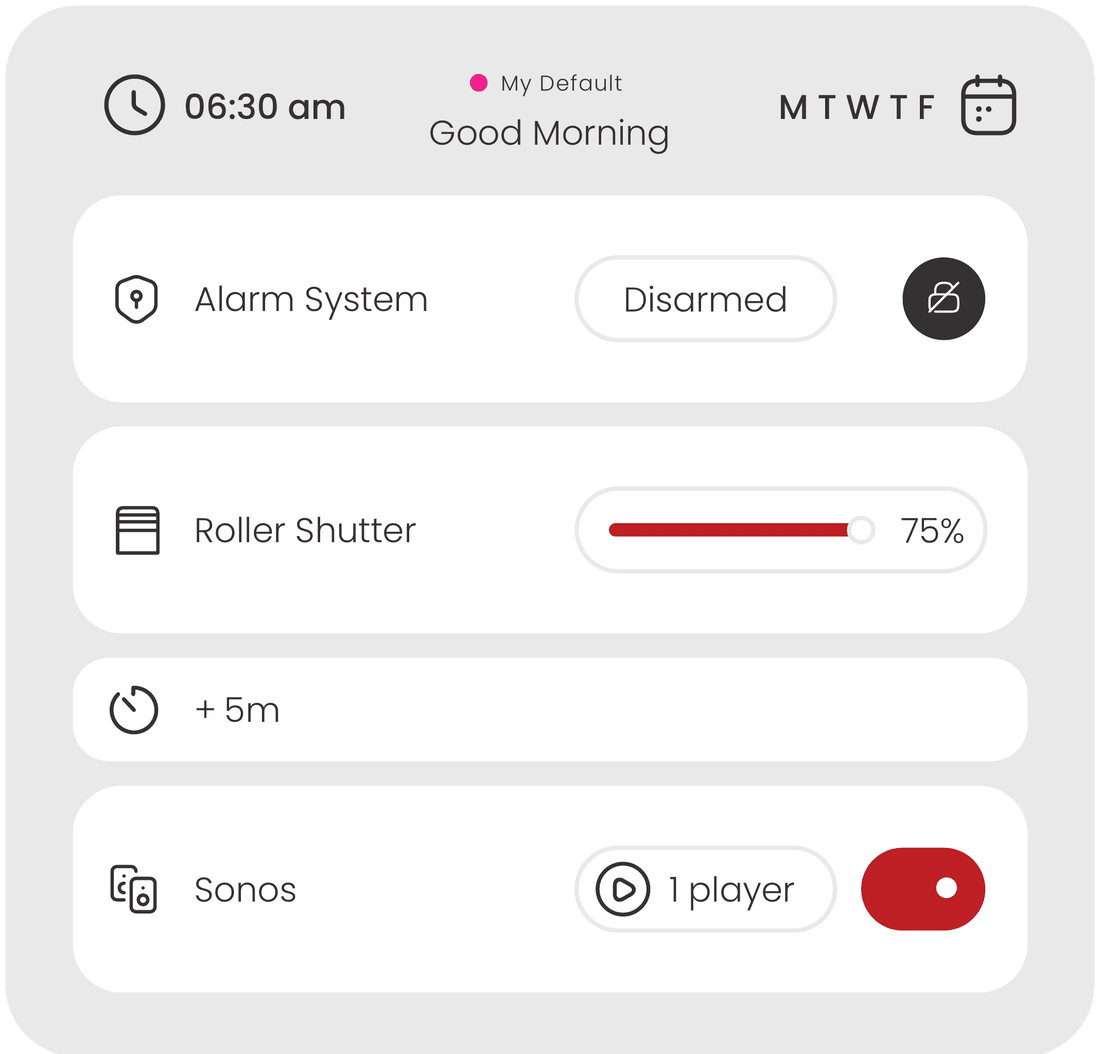
Schedules, scenes, events and timers.

True comfort elevates everyday living. Beyond total autonomy, custom scenes consolidate multiple complex actions into a single, effortless command.

  • Advanced calendars and astronomical clock (sunrise/sunset)
  • Real-time push notifications and fully customizable activity log
  • Telegram bot for high-priority alerts and one-tap actions
  • E-mail and SMS alerts, presence simulation, weather station
Schedules, scenes, events and timers.

Design

Shape your visualization
with tailor-made design.

Deploy immersive floor plans for touchscreens, or clean scrolling lists for smartphones. The platform grants absolute freedom to mirror personal taste or blend the interface with the surrounding decor.

Floor plans

Upload plans or high-end renders to locate and trigger devices in their real physical context. Ideal for touchscreens.

Object list

Vertically scrolling widgets for superior operational speed. Ideal for smartphones.

Dashboard

Pin your favourites and accelerate control with a fully customized command center.

Icons & text

Choose from a rich icon library or upload your own set to match specific terminology.

Backgrounds

High-resolution photos and renders to create an immersive navigation.

Layout & opacity

Adjust column count and container transparency to balance aesthetics with readability.

Font type

Select the typography that complements your aesthetic and structural style.

Theme

Apply different visual themes to instantly transform the app's aesthetic framework.

Language

Switch interface language instantly to accommodate international users.

Connectivity

Connect securely, from anywhere.

The app automatically selects the fastest connection path — connecting directly to the local server on-site, or via the cloud when remote. All data exchange is fully encrypted.

Local & remote

Remote video streaming for door intercom, network cameras and video verification requires the Cloud Extras add-on.

Secure remote KNX programming

Connect your laptop to the site through a secure Cloud VPN gateway. Full KNX programming via ETS and secure IP routing to third-party devices.

  • Server access & configuration
  • KNX programming via ETS software
  • Diagnostics & monitoring
  • Troubleshooting & debugging

Next step

See the interface in action.

Open the public web demo, or ask us for a guided walkthrough tailored to your project type.